
Apps · Staff Clock-in · Every industry
Know who is at work, and when they got there
Staff clock in and out from their phone or computer with one button. Each clock-in takes a live selfie and reads where they are at that moment, so you see who is in, who is late and who clocked in away from the office, without a fingerprint machine.
MarketplaceStaff Clock-in
See it
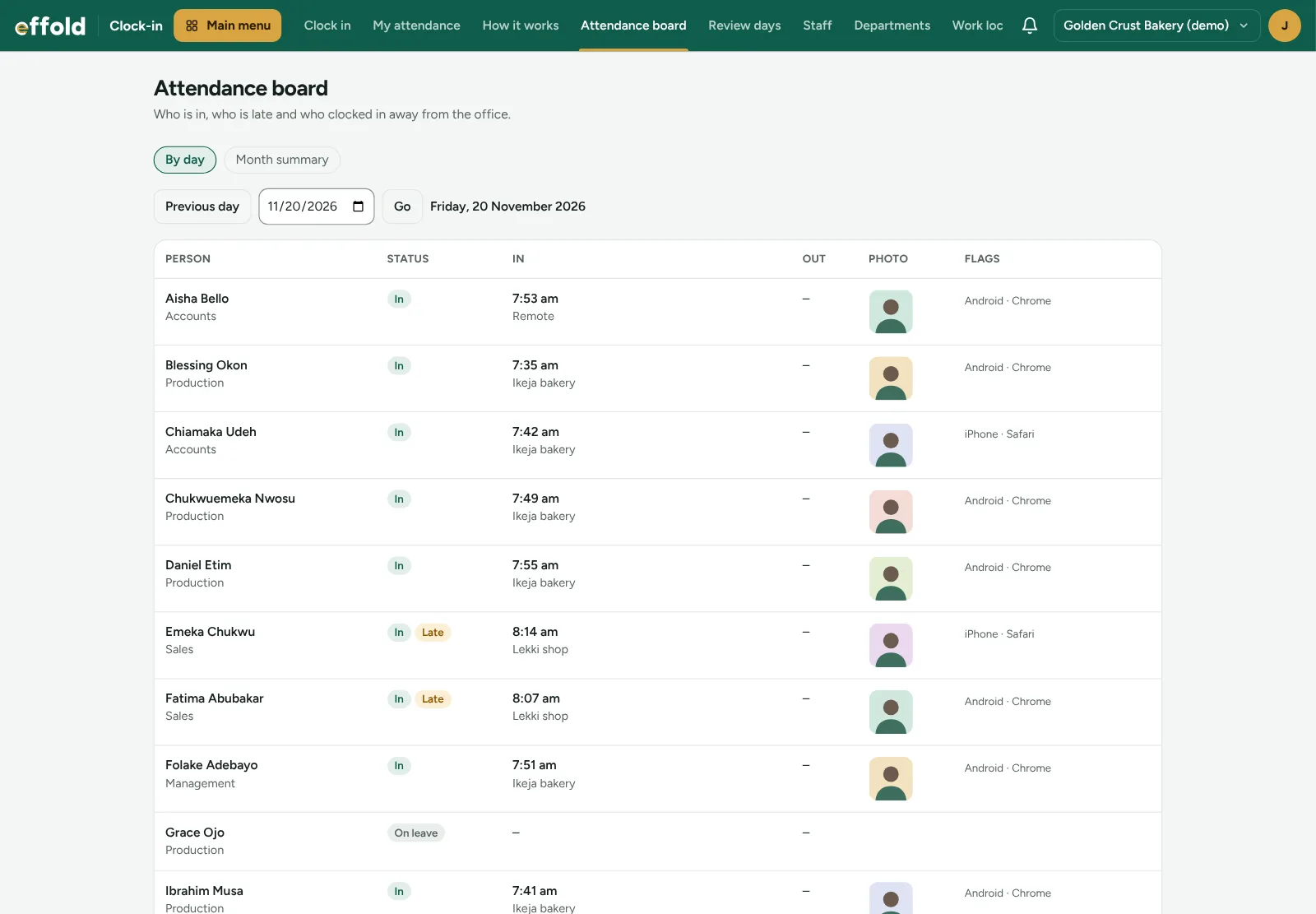
Who is in, at a glance
Everyone's clock-in time, where they were, their selfie and any flags, for today or any day before.
Who it is for
Made for offices and agencies and shops, salons, schools and estates and every other industry
Offices and agencies
Staff across several offices and client sites, and people who work from home.
Shops, salons, schools and estates
Cashiers, stylists, teachers and facility staff, with working days that include Saturday if you open then.
Every other industry
Works with every Effold industry, with or without People & Payroll.
What Staff Clock-in adds
The tools your team uses every day
One button to clock in
Staff clock in from their phone or computer. No app to download and no fingerprint machine to buy.
A live selfie every time
The front camera opens and takes a photo there and then. No uploads from the gallery.
Where they really are
Their position is read once, at the moment they press the button, and matched to your work locations. Nobody is tracked in the background.
Late is late
Set your office hours and the time after which a clock-in is late. Effold marks it, not the staff member.
Away from the office
Someone clocking in elsewhere is asked which client's office they are at, so you can check it later.
Shared and new devices flagged
See when one phone clocks in two people, or someone uses a new device.
Work locations on the map
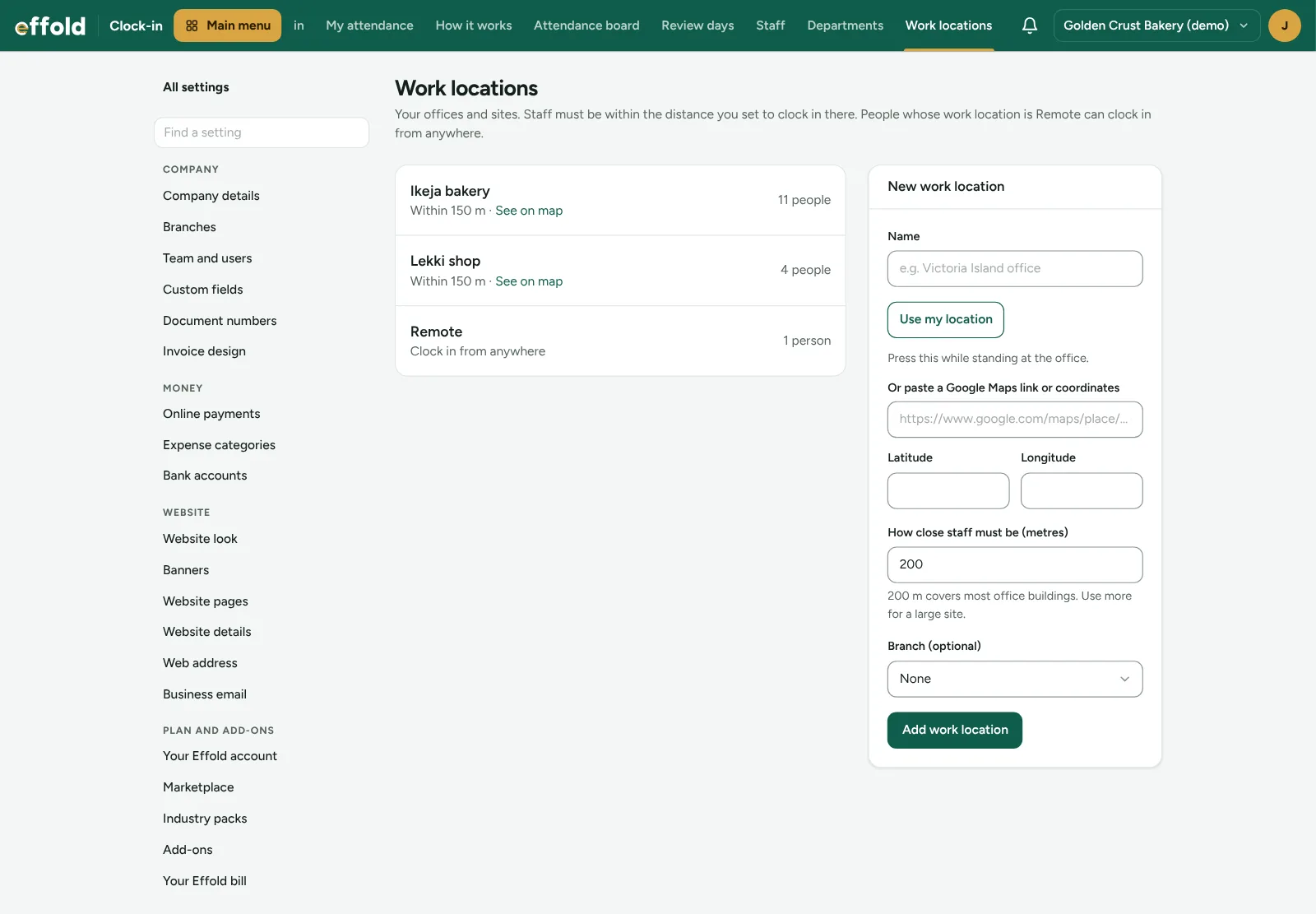
Pin each office by standing there and pressing a button, or paste a Google Maps link. Set how close staff must be.
A free login for staff
Staff who only clock in don't count as paid users.
Lateness off pay, if you want
With People & Payroll, lates after the free ones and absences come off each payslip, capped, after HR has checked the days.
Private by design
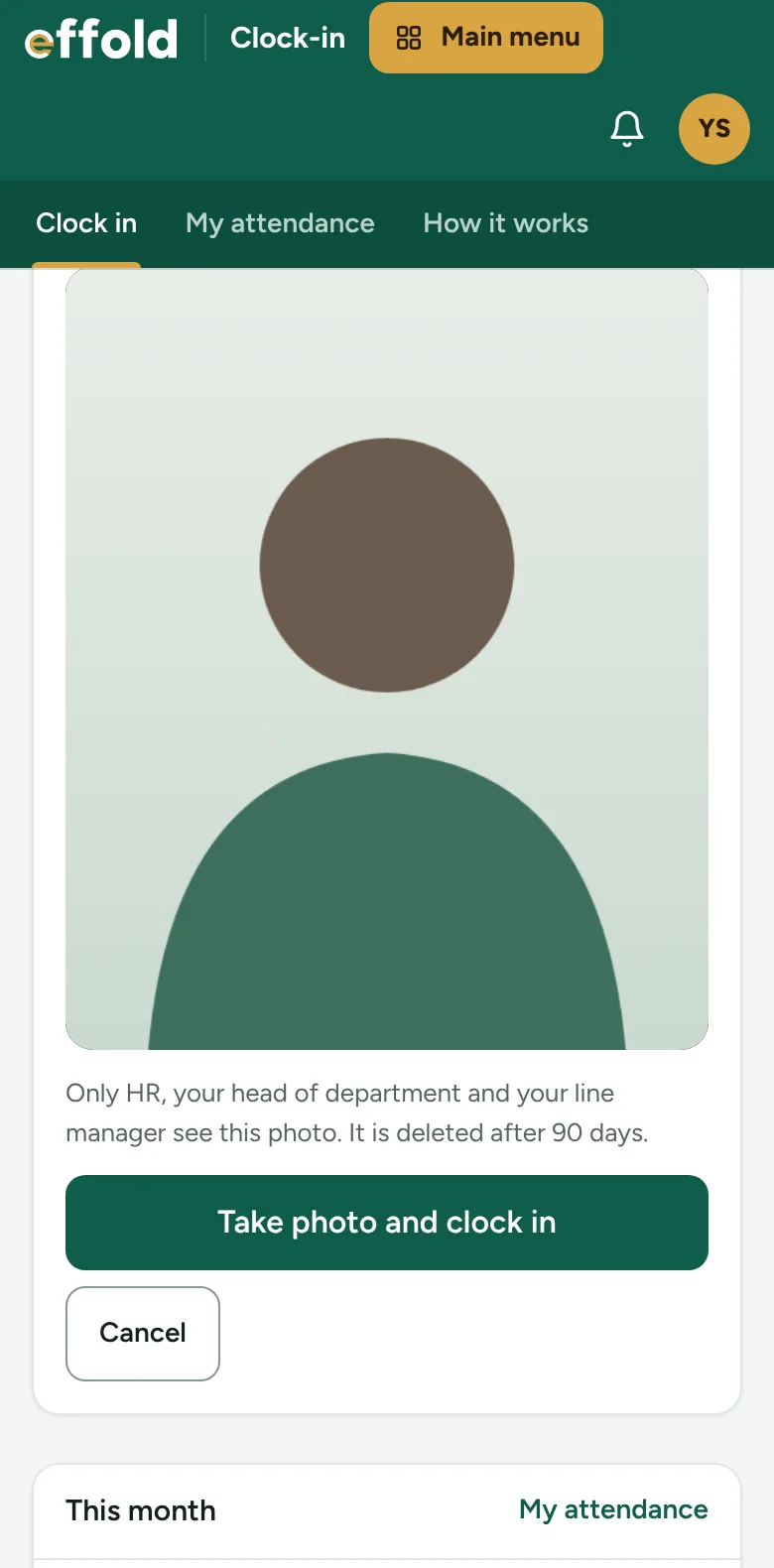
Only HR, the person's head of department and their line manager see the photo, and it is deleted after 90 days. Positions are cleared after 12 months.
See it
A live selfie, every time
The front camera opens on their phone and the photo is taken there and then. The phone's position is read once, at that moment.
See it
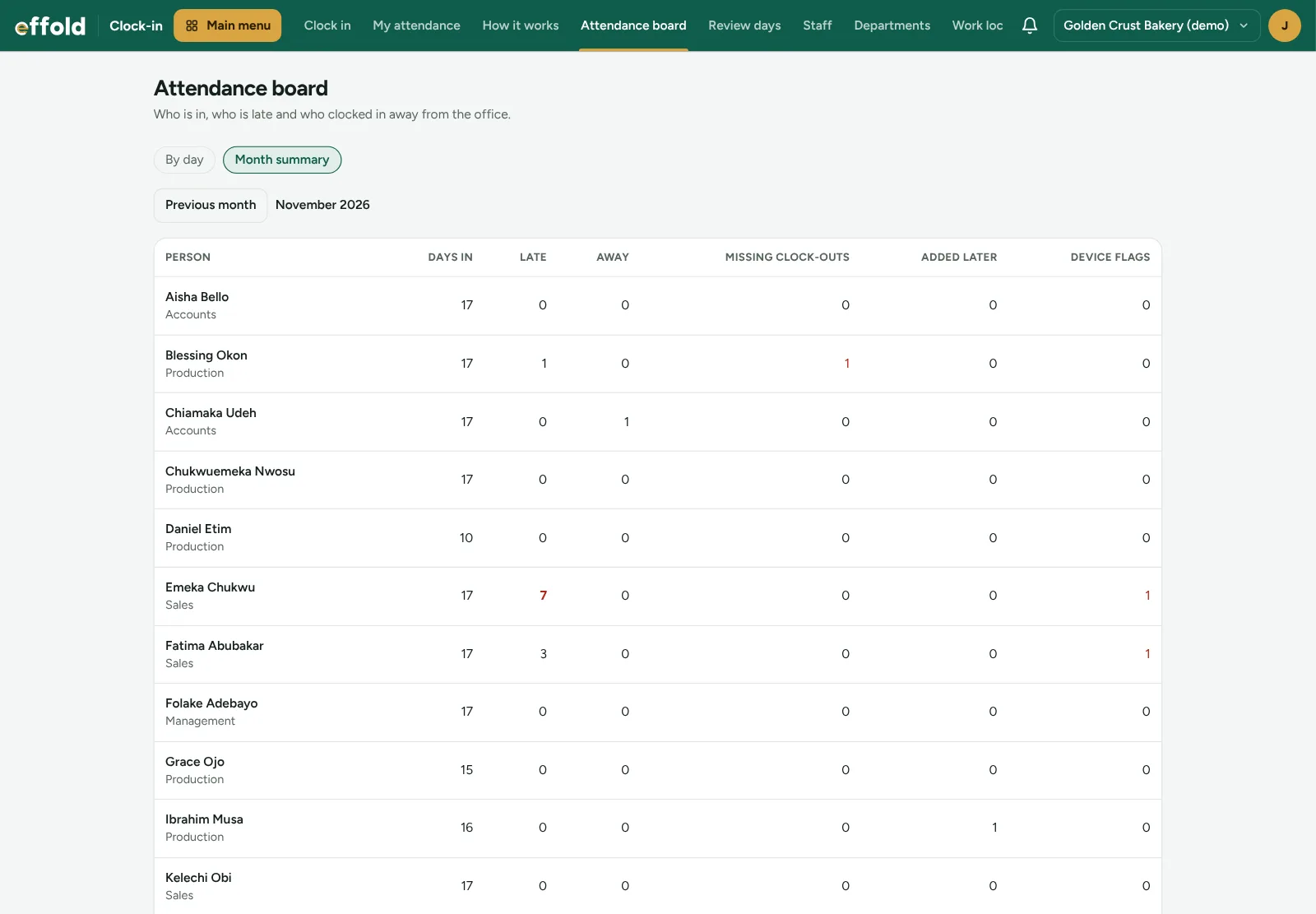
The month for everyone
Days in, lates, days away, missing clock-outs and device flags for each person. Four or more lates show in red.
See it
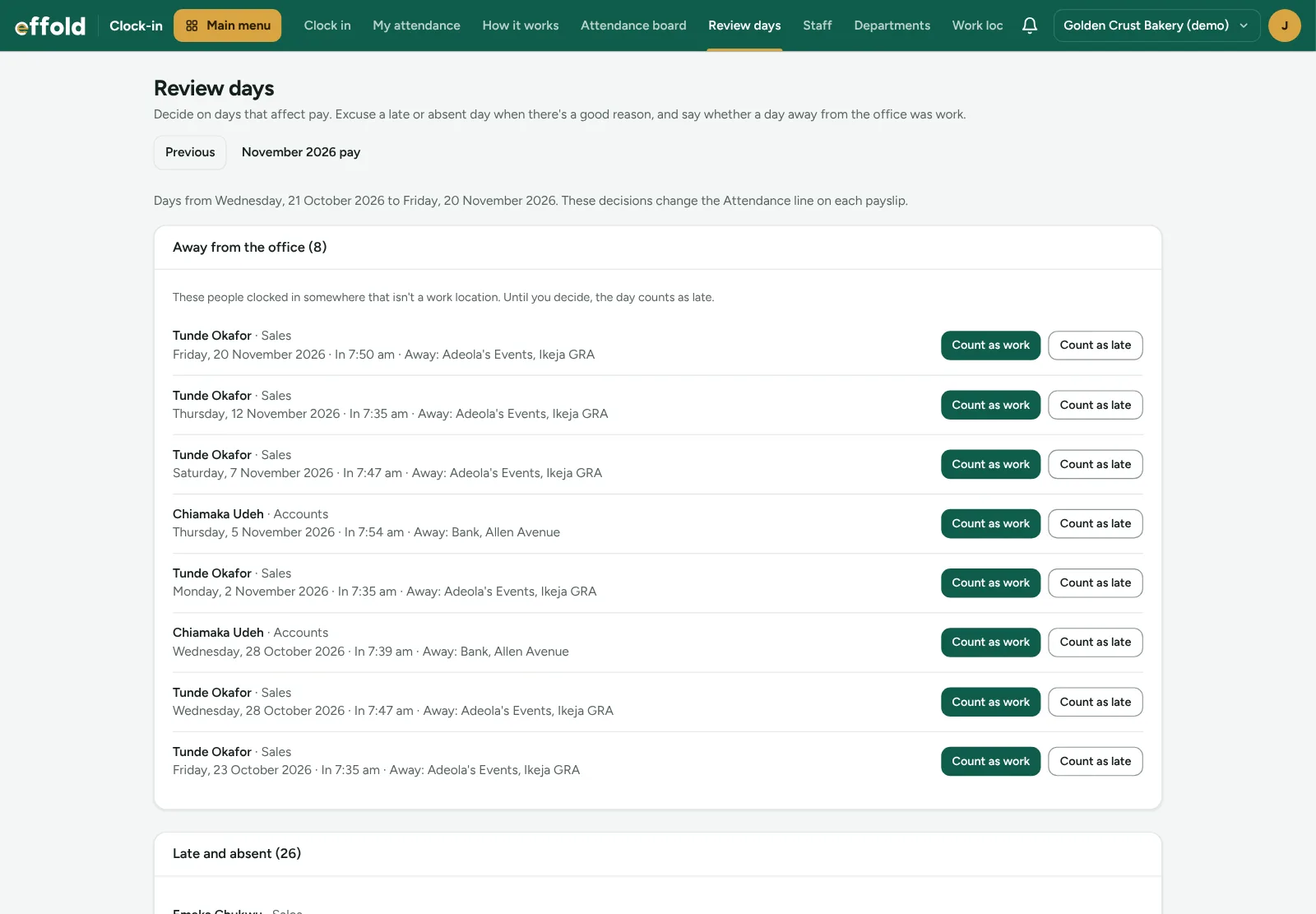
Fair decisions before payday
Check days away from the office and excuse a late or absent day with a reason. Everything is decided before the payroll is approved.
See it
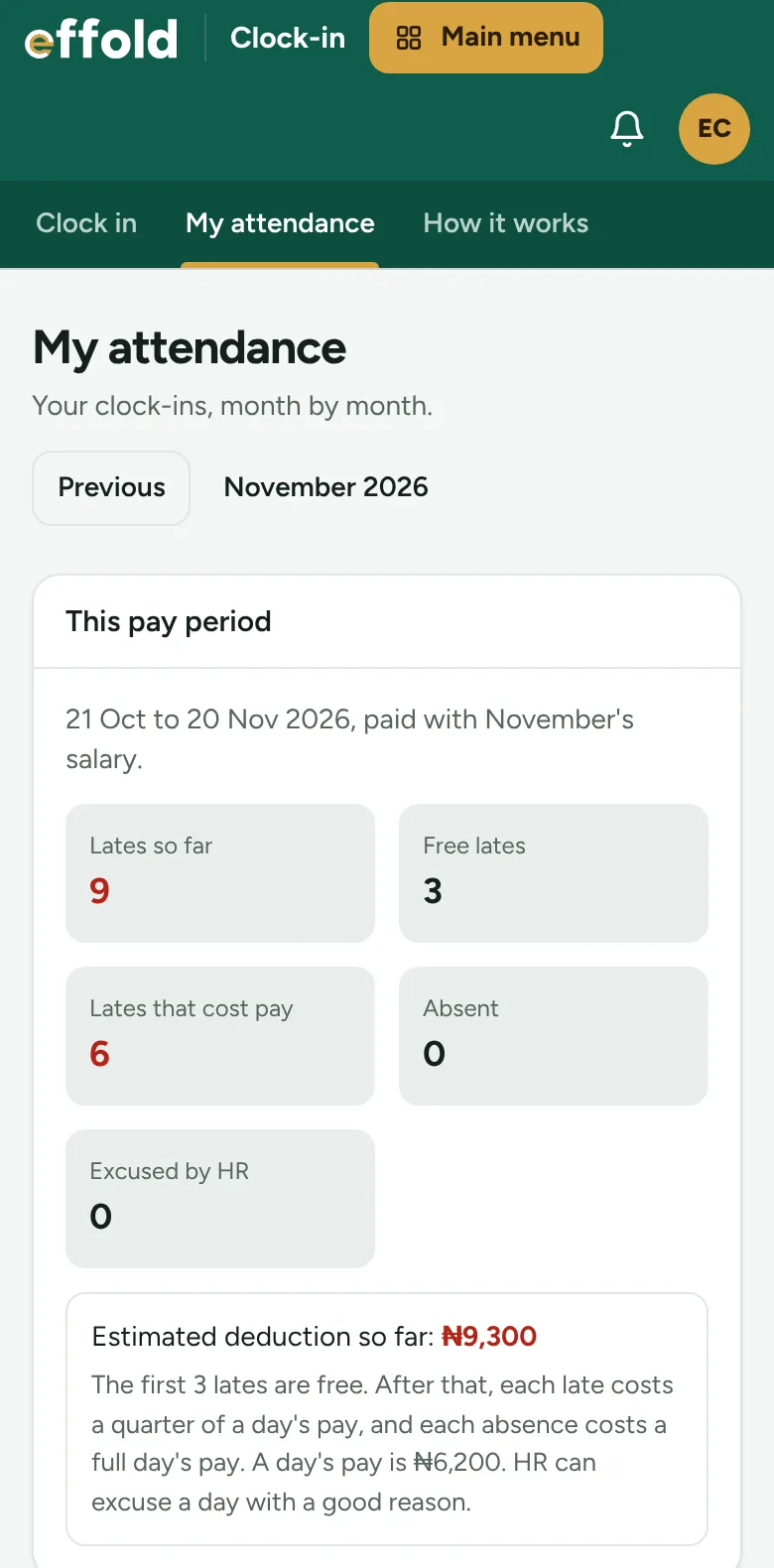
Staff see what it costs them
Each person sees their own lates, free lates and the estimated deduction for the pay period, so payday is no surprise.
See it
Your offices on the map
Stand in the office and press Use my location, or paste a Google Maps link. Set how close staff must be to clock in there.
Questions
About the Staff Clock-in app
How much does Staff Clock-in cost?
₦15,000 a month per company. It is added to your Effold bill. On a paid plan you pay for the days left until your renewal date before it switches on.
Does it work with my industry?
Yes. Apps work with every industry pack, and with the free Invoicing & Billing pack.
How do I install it?
Open Marketplace in your company's menu and choose Install. It joins your staff menu straight away.
What happens if I uninstall it?
It leaves your menu and stops being billed. Your leads, deals and trail are kept, so reinstalling picks up where you left off.
See Staff Clock-in with your own sales
Book a free demo and we will set it up with examples from your business. Or start your 14-day free trial now, no card needed.