
Apps · Inventory · Every industry
Know what you have, and where
Count the goods in every store room and warehouse, from uniforms and books to spare parts and cleaning supplies. Every change is recorded, so you always know who added or took what.
MarketplaceInventory
See it
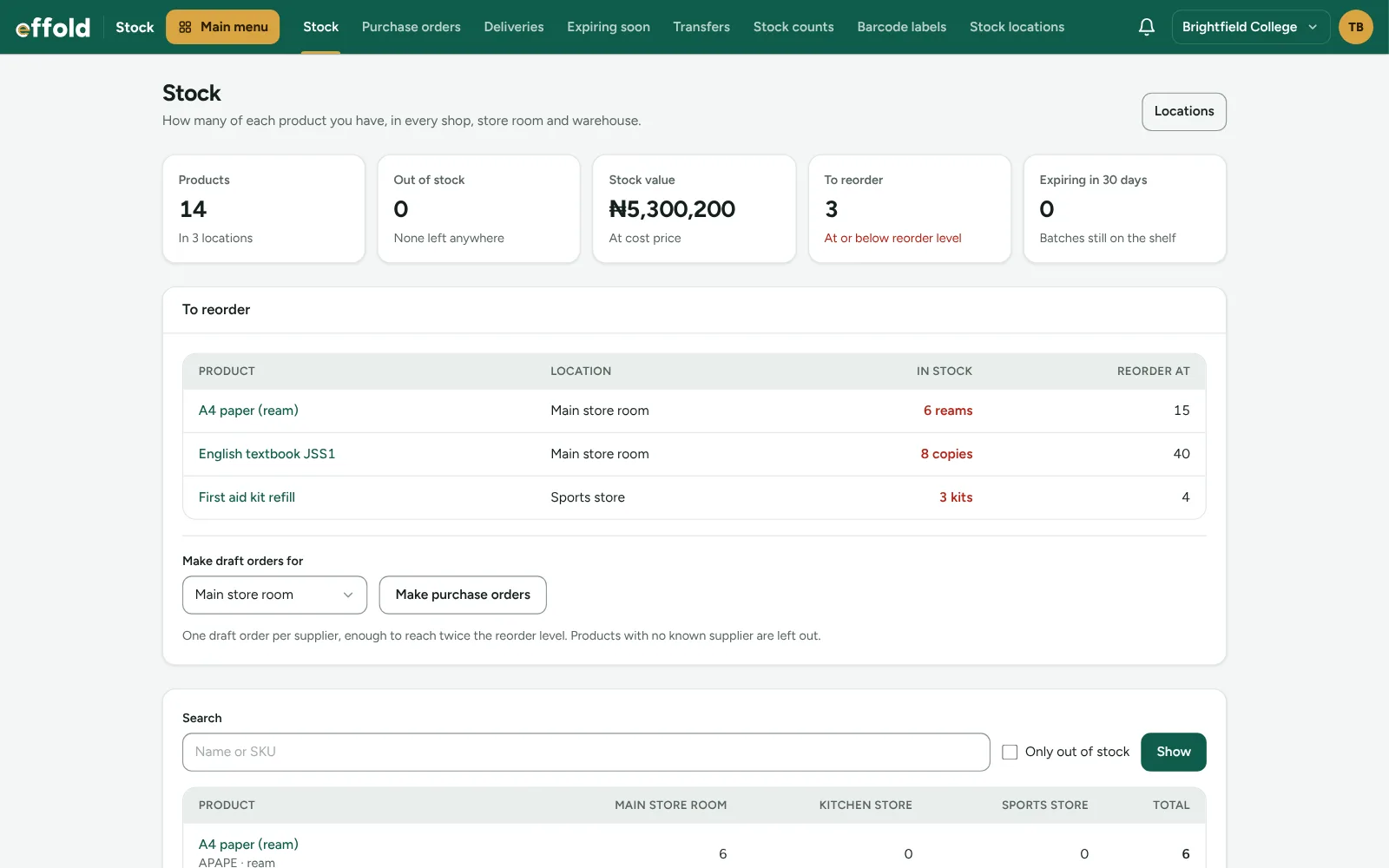
Your stock at a glance
How many products you keep, what has run out, what your stock is worth and what is due for reordering.
Who it is for
Made for schools and estates and facility managers and any business with a store room
Schools
Uniforms, books, stationery and kitchen supplies, counted per store room, with what each class used.
Estates and facility managers
Spare parts, diesel, cleaning materials and tools in each estate's store.
Any business with a store room
Works with every Effold industry. Shops already have it as part of their shop.
What Inventory adds
The tools your team uses every day
Every location
Add store rooms, warehouses and shop floors in any branch. Each product has its own count in each place.
Barcodes and units
Give a product several barcodes, and sell or buy it by the pack or carton as well as by the piece.
Counts with reasons
Goods received, used, damaged or expired: every change has a reason and a name beside it.
Stock-taking
Type what is really on the shelf and Effold records the difference.
Stock value
See what your stock is worth at cost price and what has run out.
Branch by branch
Staff limited to a branch only see their branch's stock.
See it
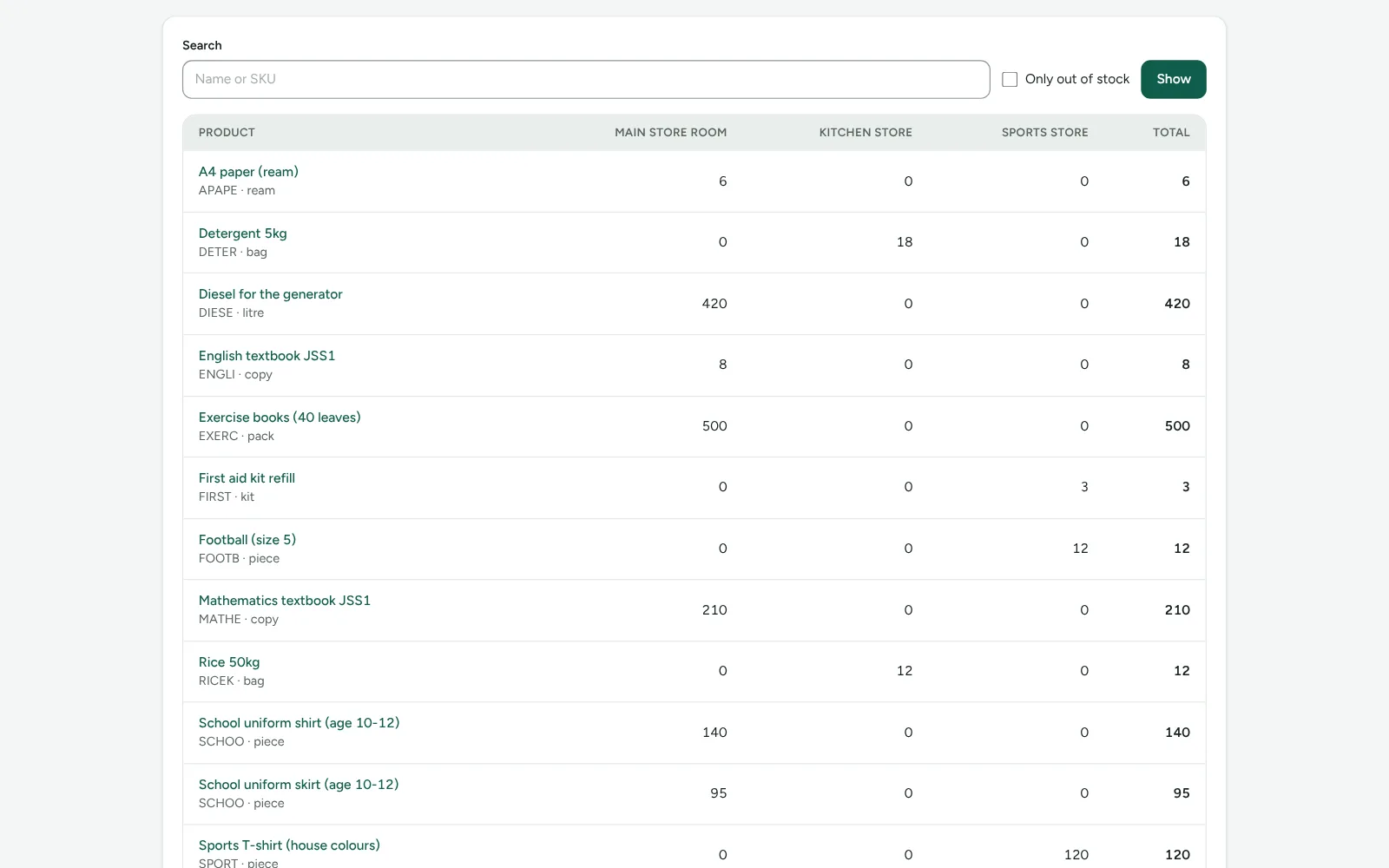
Every store room side by side
Each product's count in each location, with the total, and a search to find anything quickly.
See it
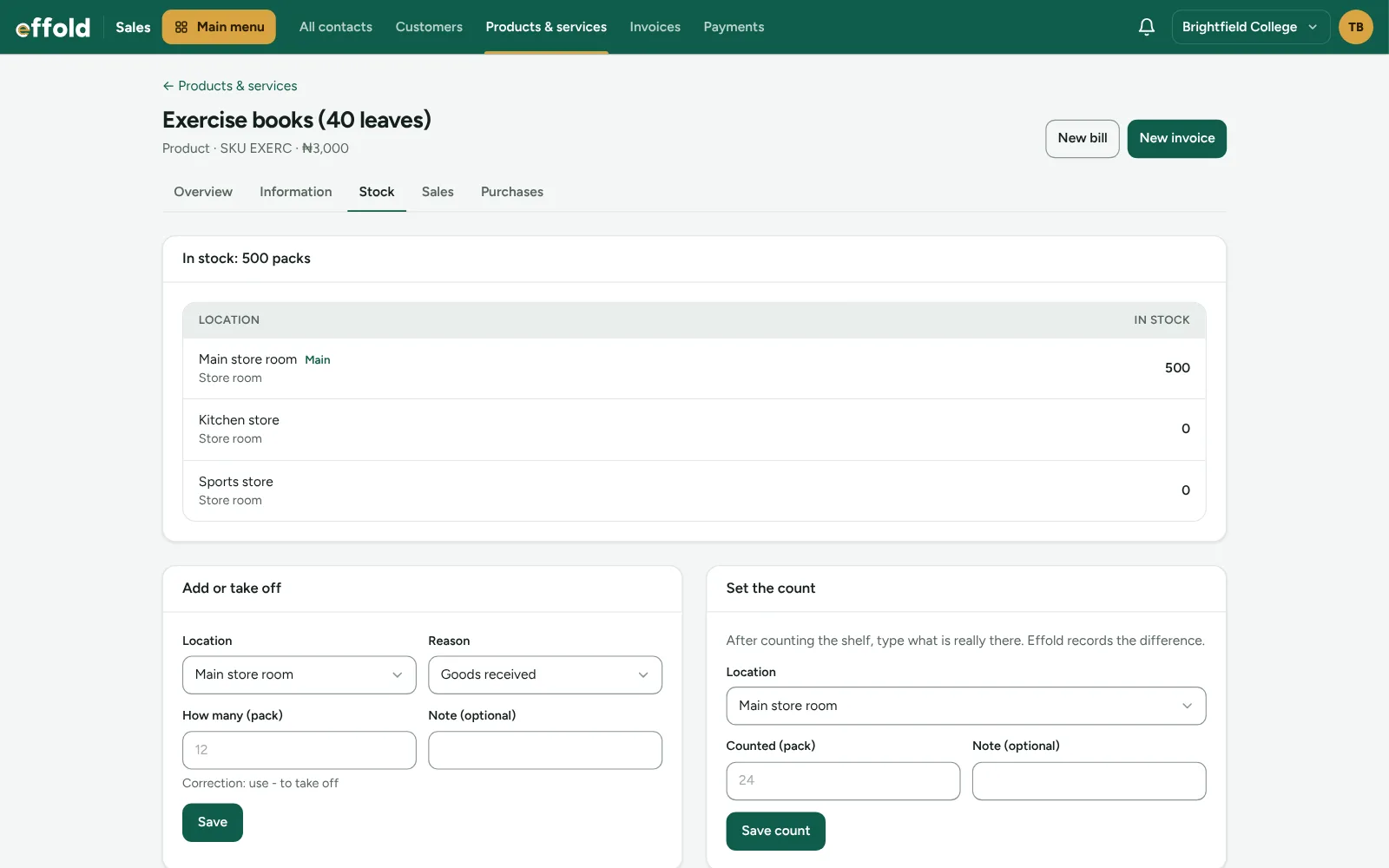
Add, take off or count
Record goods received, used or damaged with a reason, or type what is really on the shelf.
Questions
About the Inventory app
How much does Inventory cost?
₦5,000 a month per company. It is added to your Effold bill. On a paid plan you pay for the days left until your renewal date before it switches on.
Does it work with my industry?
Yes. Apps work with every industry pack, and with the free Invoicing & Billing pack.
How do I install it?
Open Marketplace in your company's menu and choose Install. It joins your staff menu straight away.
What happens if I uninstall it?
It leaves your menu and stops being billed. Your leads, deals and trail are kept, so reinstalling picks up where you left off.
See Inventory with your own sales
Book a free demo and we will set it up with examples from your business. Or start your 14-day free trial now, no card needed.