
Add-ons · For Facility Management Business
Gate access codes
Know who is at the gate before you open it. Visitor codes for estate gates, bought per estate
MarketplaceGate access codes
What you get
Inside Gate access codes
A code for every visitor
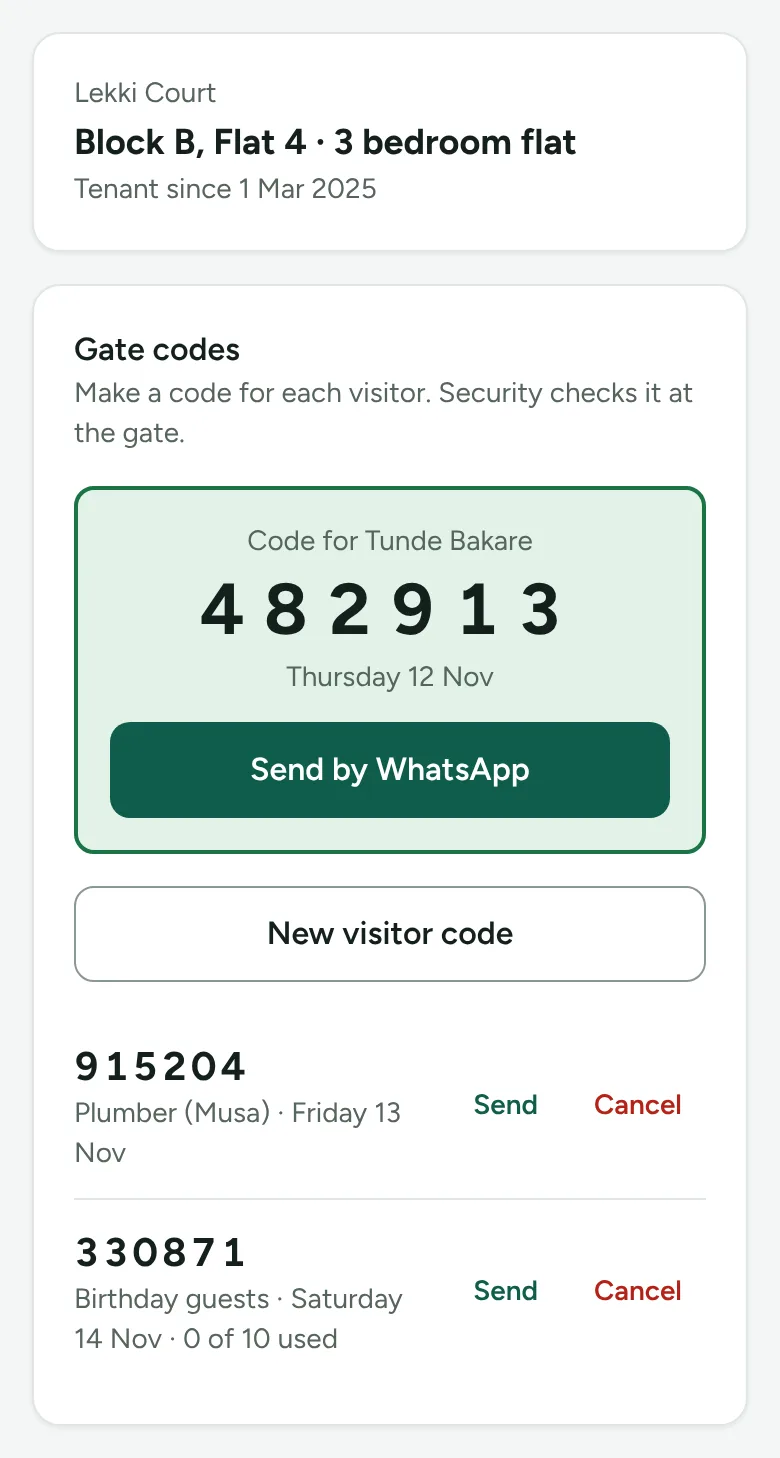
Residents make a 6-digit code in their portal in seconds, for today or a day ahead, for one visitor or a whole party.
Sent by WhatsApp
One tap sends the code, the estate name and the day to the visitor. No app for visitors to install.
A screen for your guards
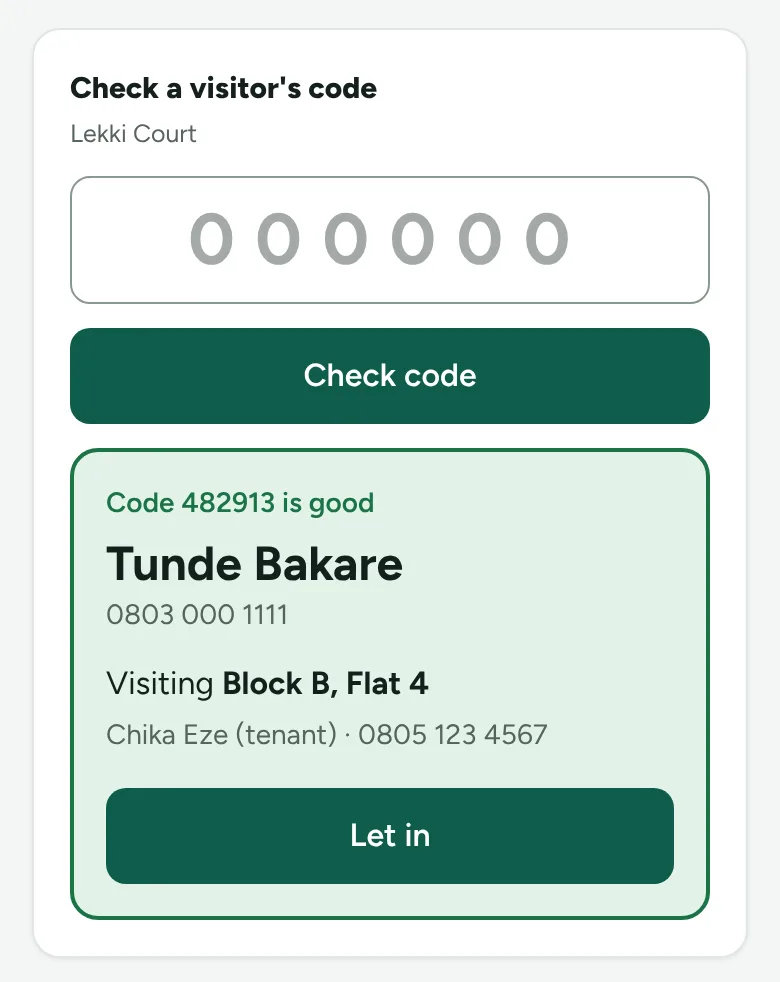
A Security guard role sees only the gate screen: type the code, see the visitor, the flat and the resident, then let them in.
Wrong codes stopped
Expired, used, cancelled or made-up codes show a clear red "Do not let in", with the reason.
Every entry on record
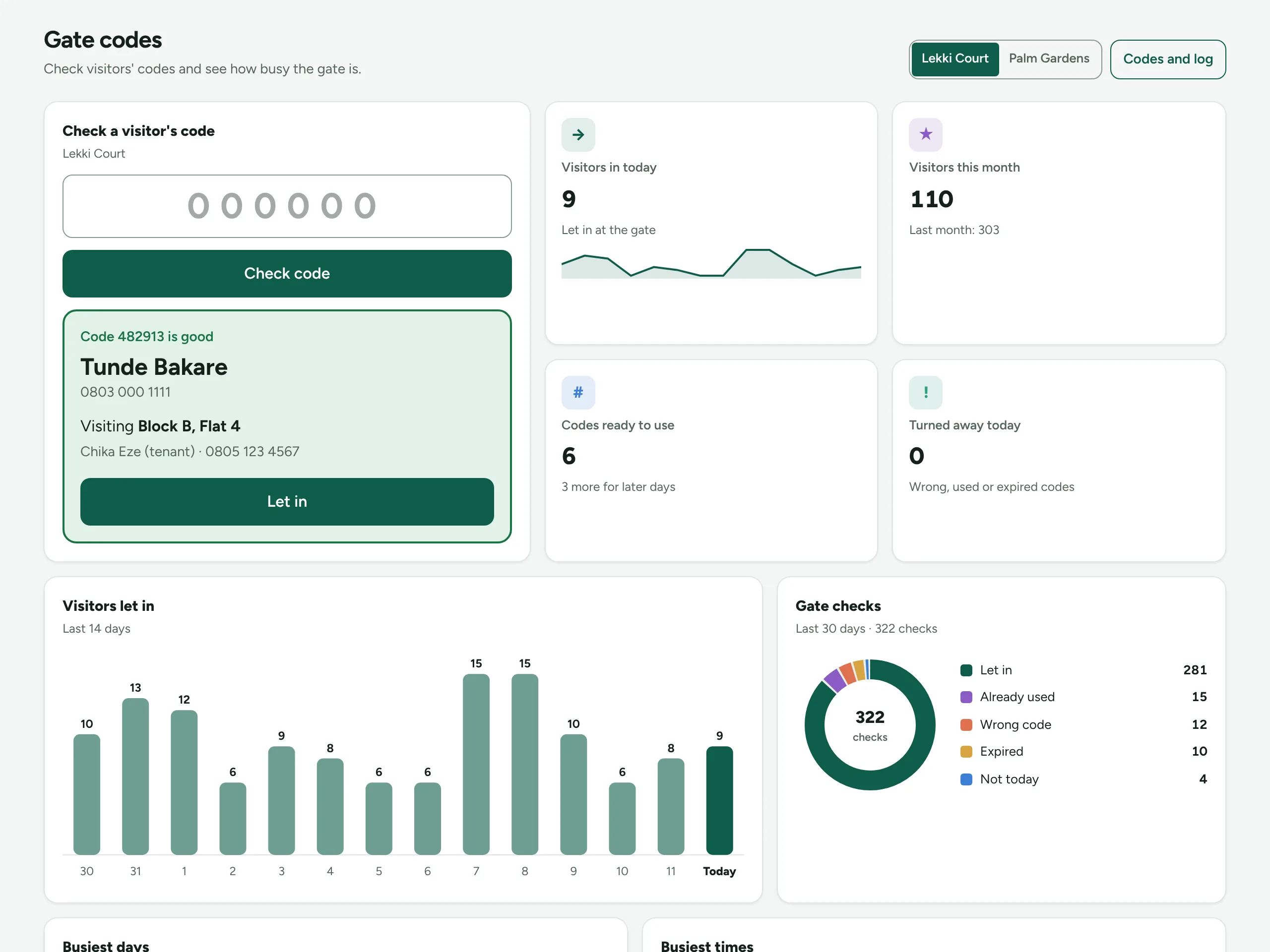
Each check is logged with the time and the result, so you can answer "who came in on Saturday?" in seconds.
See how busy the gate is
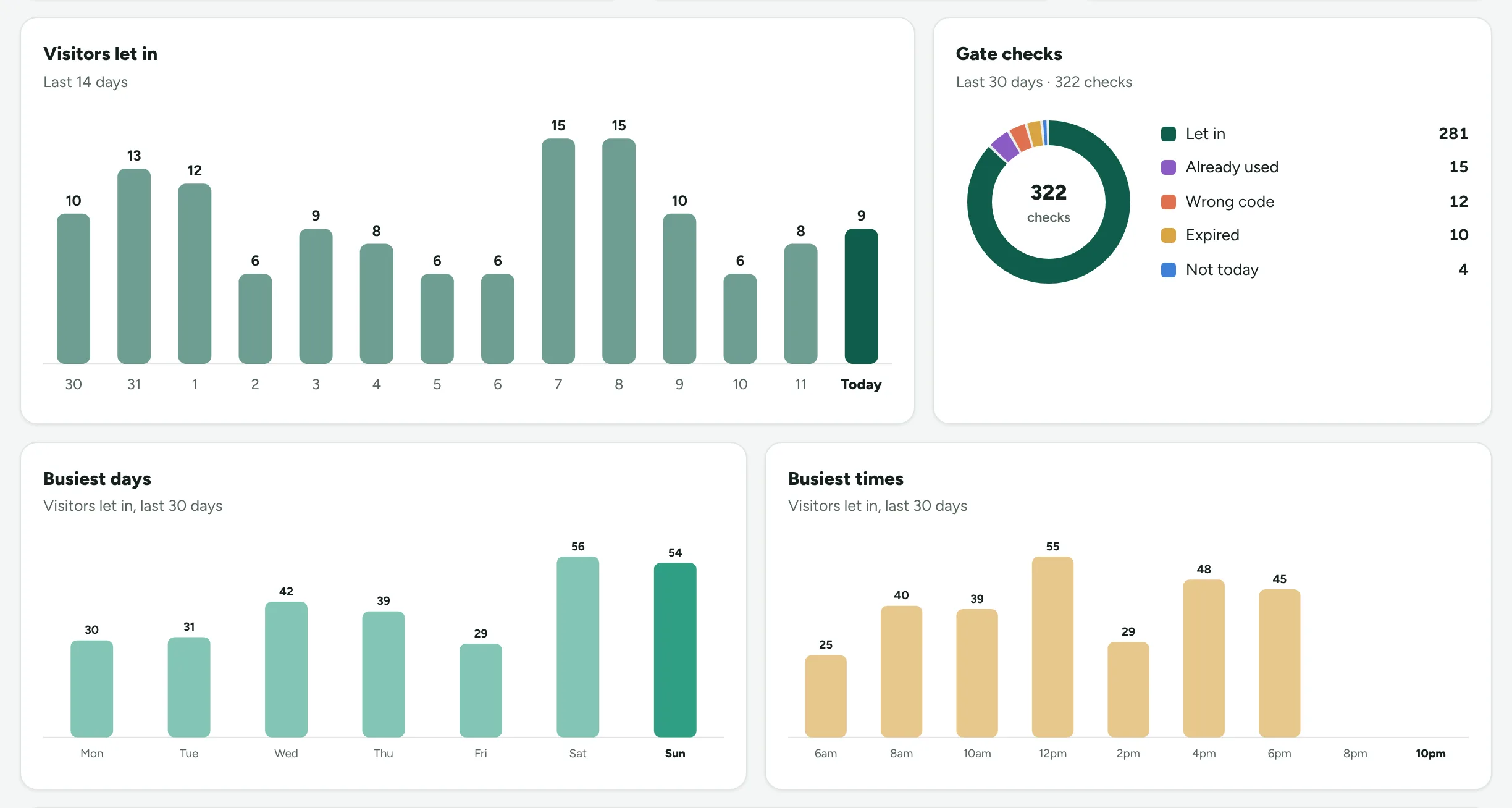
A dashboard shows visitors per day, the busiest days and times, and how many people were turned away.
How it works
Gate access codes in three steps
Residents send a code
From My home in their portal, a resident types the visitor's name, picks the day and taps Make code. The code goes straight to the visitor on WhatsApp.
Your guard checks it at the gate
The guard types the code on a phone or tablet. A good code shows green with who the visitor is coming to see, and one tap lets them in.
You see everything that happened
Visitors per day, checks by result and the busiest days and times, estate by estate, with the full gate log one click away.
Price
Simple monthly price
₦35,000 a month per estate
Turn it on for each estate from the estate's Gate codes tab. You pay only for the estates that use it. It is added to your Effold bill, and you can switch it off any time without losing anything.
See Gate access codes with your own work
Book a free demo and we will set it up with examples from your business. Or start your 14-day free trial now, no card needed.